Python for AI: Unleashing the Potential
Why Python Is the Default Language for AI
Ask anyone building an AI model today what language they use, and 8 out of 10 will say Python. It’s not because Python is the fastest or the most powerful-it’s because it’s the most accessible. You don’t need a computer science degree to train a neural network in Python. Libraries like TensorFlow and PyTorch handle the heavy math, while clear syntax lets you focus on solving problems, not debugging syntax errors.
In 2025, over 70% of all AI projects on GitHub used Python. Companies like Google, Meta, and Tesla don’t use Python because it’s trendy-they use it because it works. A team in Melbourne built a real-time traffic prediction model using Python and OpenCV that cut city congestion by 18% in six months. That’s not magic. That’s Python.
Key Libraries That Make Python Powerful for AI
Python doesn’t come with AI built-in. But it has libraries that turn it into a Swiss Army knife for machine learning and deep learning.
- NumPy handles arrays and matrices-essential for feeding data into models. Without it, you’d be writing loops for every calculation. With it, you can process millions of data points in seconds.
- Pandas cleans messy data. Real-world data is full of missing values, typos, and inconsistencies. Pandas lets you drop bad rows, fill gaps, and reshape tables with one line of code.
- Scikit-learn is the go-to for traditional machine learning. Need a decision tree? A random forest? A support vector machine? Scikit-learn has it, with clear documentation and consistent interfaces.
- TensorFlow and PyTorch dominate deep learning. TensorFlow, developed by Google, scales well for production systems. PyTorch, from Meta, is favored by researchers for its flexibility and dynamic computation graphs. Both support GPU acceleration, which speeds up training by 10x or more.
- Keras sits on top of TensorFlow. It’s simpler, ideal for beginners who want to build their first neural network without getting lost in low-level details.
These aren’t just tools-they’re building blocks. You don’t need to write a convolutional layer from scratch. You import it, configure it, and train it. That’s why AI projects that used to take years now take weeks.
Real-World AI Projects Built with Python
Python isn’t just for labs. It’s in hospitals, farms, and factories.
In Sydney, a startup used Python and TensorFlow to detect early signs of diabetic retinopathy from retinal scans. Their model reached 94% accuracy, matching specialist radiologists. They didn’t hire a team of PhDs. They hired two developers and a doctor. Python made the difference.
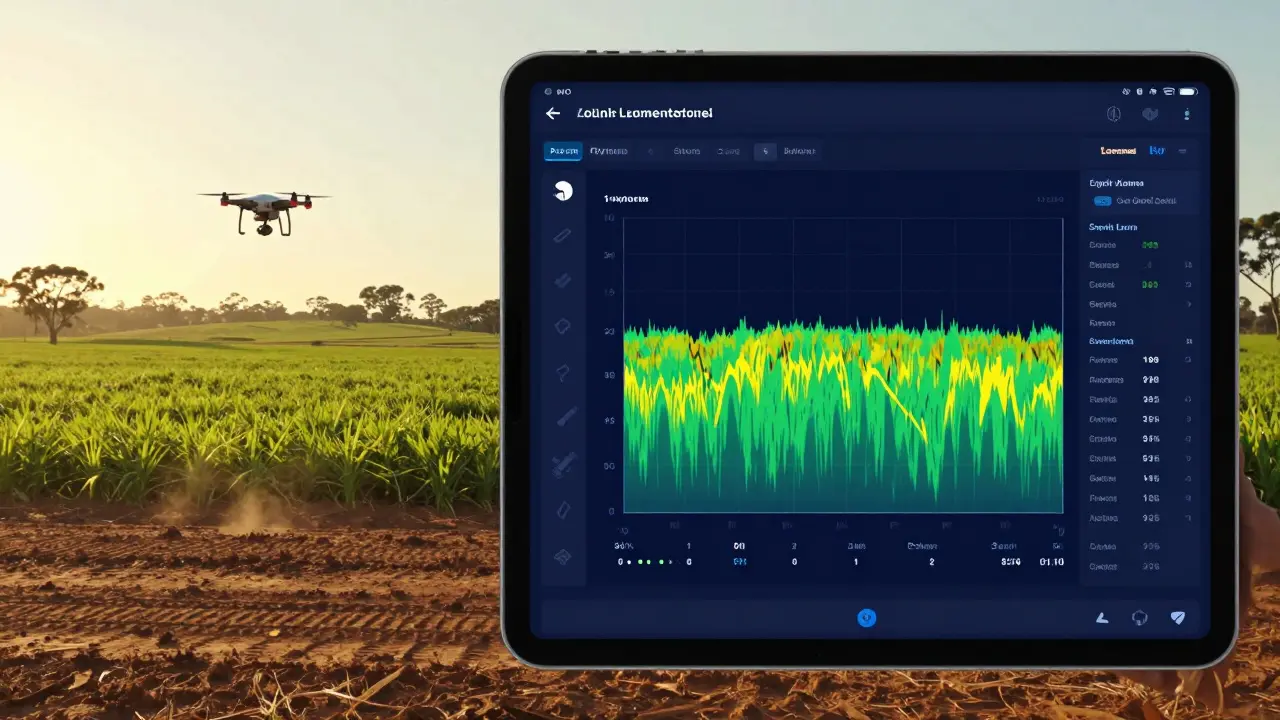
In rural Victoria, farmers used Python to analyze drone images and predict crop yields. With OpenCV and Scikit-learn, they trained a model to spot disease patterns before they spread. Crop losses dropped by 22% in the first season.
Even small businesses use Python. A café in Melbourne built a simple recommendation engine using Pandas and scikit-learn to suggest pastries based on customer orders. Sales went up 15%. No fancy AI lab needed.
What You Need to Start
You don’t need a $10,000 GPU or a PhD to begin. Here’s what you actually need:
- Python 3.10 or higher-download it from python.org. Avoid older versions; they lack support for modern libraries.
- pip-Python’s package manager. It comes with Python. Use it to install libraries:
pip install tensorflow pandas scikit-learn. - Jupyter Notebook-an interactive environment where you write code, see results, and document everything in one place. Install with
pip install jupyter, then runjupyter notebookin your terminal. - A free cloud GPU-if you want to train deep learning models faster, use Google Colab. It gives you free access to NVIDIA GPUs. No setup. Just sign in with Google and start coding.
That’s it. You can build your first AI model in under an hour. Try predicting house prices using a public dataset from Kaggle. It’s the AI equivalent of "Hello, World."
Common Mistakes Beginners Make
Python makes AI easy-but not foolproof. Here are the top mistakes I’ve seen people make:
- Skipping data cleaning-you can’t train a good model on bad data. Missing values, outliers, and skewed distributions ruin accuracy. Always visualize your data before training.
- Using the wrong library-scikit-learn is great for small datasets and traditional models. But if you’re working with images, text, or audio, you need TensorFlow or PyTorch. Don’t force a square peg into a round hole.
- Not splitting data-you must separate your data into training, validation, and test sets. Otherwise, your model will memorize the data instead of learning from it.
- Ignoring model evaluation-accuracy alone doesn’t tell the whole story. Use precision, recall, and F1-score for imbalanced datasets. For example, in medical diagnosis, false negatives matter more than false positives.
- Copying code without understanding-I’ve seen people paste code from GitHub and wonder why it doesn’t work. Read the documentation. Understand what each line does. AI isn’t magic. It’s math, and math needs understanding.
How to Learn Python for AI Step by Step
If you’re starting from scratch, here’s a realistic path:
- Week 1-2: Learn Python basics-variables, loops, functions, lists, dictionaries. Use free resources like Codecademy or freeCodeCamp. Don’t skip this.
- Week 3-4: Learn NumPy and Pandas-how to load, clean, and manipulate data. Practice with real datasets from Kaggle.
- Week 5-6: Build your first model-use scikit-learn to predict something simple, like whether a customer will churn or if a loan will default.
- Week 7-8: Try deep learning-use Keras to build a neural network that classifies handwritten digits (MNIST dataset). It’s the classic starter project.
- Week 9-12: Pick a project-something you care about. Predict stock trends? Detect spam emails? Classify cat vs dog photos? Build it. Break it. Fix it. Repeat.
Don’t aim for perfection. Aim for progress. The best AI engineers didn’t start with complex models. They started with a broken script that somehow worked.

What’s Next After You Learn Python for AI
Once you’re comfortable with the basics, here’s where to go next:
- Learn about transformers-the architecture behind ChatGPT and other large language models. Hugging Face makes it easy to use pre-trained models in Python.
- Deploy your model-use Flask or FastAPI to turn your model into a web API. Then host it on Render or AWS.
- Explore reinforcement learning-used in robotics and game AI. Libraries like Stable-Baselines3 make it approachable.
- Join a community-Reddit’s r/learnmachinelearning, Kaggle competitions, or local meetups in Melbourne. Learning with others keeps you motivated.
Python for AI isn’t a destination. It’s a toolkit. The more you use it, the more you’ll discover what you can build.
Is Python the Only Option for AI?
No. R is great for statistics. Julia is faster for heavy computations. C++ powers the core of TensorFlow. But none of them have Python’s ecosystem.
Python’s strength isn’t speed-it’s community. There are tutorials for every problem. Stack Overflow has answers for every error. GitHub has open-source code for every use case. When you get stuck, someone else has already been there.
Switching languages mid-project is expensive. Most companies stick with Python because changing tools means retraining teams, rewriting code, and losing momentum. Python isn’t perfect. But it’s the most practical choice today.
Final Thought: AI Is About Solving Problems, Not Writing Code
Python makes AI accessible. But the real power comes from asking the right questions. What problem are you trying to solve? Is it about saving time? Reducing errors? Making better decisions?
The best AI models aren’t the most complex. They’re the ones that solve a real problem in a simple way. A farmer in Victoria doesn’t need a 10-layer neural network. He needs to know which field is at risk of disease. Python gave him that answer.
Start small. Build something useful. Then build something bigger. That’s how you unleash the potential of Python for AI.