The Ultimate Programming Tutorial: Your Passport to Digital Dominance
Imagine holding a key that unlocks every door in the modern world. That’s what learning to code feels like. It isn’t just about typing symbols into a black screen; it is about gaining the power to build, automate, and create from scratch. In 2026, digital literacy is no longer optional-it is your passport to relevance. Whether you want to launch a startup, automate your boring spreadsheets, or simply understand how the apps on your phone work, this programming tutorial is your starting line.
We are going to cut through the noise. You don’t need a computer science degree to start. You need a clear path, the right tools, and a mindset that embraces failure as part of the process. Let’s get you writing your first lines of code today.
Picking Your First Language: The Fork in the Road
The biggest mistake beginners make is trying to learn everything at once. Don’t do that. Pick one language and stick with it until you can build something simple. Think of programming languages like spoken languages. You wouldn’t try to speak fluent French, Mandarin, and German on day one. You pick one, learn the basics, and then expand later.
| Language | Best For | Difficulty Level | Key Strength |
|---|---|---|---|
| Python | Data Science, AI, Web Backends | Low | Readable syntax, huge library support |
| JavaScript | Web Development, Interactive UIs | Medium | Runs everywhere (browsers, servers) |
| HTML/CSS | Website Structure & Style | Very Low | Visual feedback, foundational web tech |
If you want to see results quickly and love logic, go with Python. It reads like English and handles complex tasks with minimal code. If you are obsessed with making things look good on screens, start with HTML and CSS, then move to JavaScript. Both paths lead to the same destination: competence.
Setting Up Your Workspace Without the Headache
You might think you need an expensive setup. You don’t. All you need is a computer that turns on and a browser. However, having a proper environment makes learning smoother. Here is how to set up your shop in under ten minutes.
- Install a Code Editor: Download Visual Studio Code (VS Code). It is free, lightweight, and used by millions of professional developers worldwide. It highlights your code colors, catches errors before you run them, and suggests completions.
- Install Your Language Interpreter: If you chose Python, download it from python.org. If you chose JavaScript, you already have it-every web browser has a JavaScript engine built-in.
- Create a Project Folder: Make a folder on your desktop called "MyFirstCode." Keep all your files here. Organization matters more than you think when you start juggling multiple projects.
Don’t overcomplicate this step. The goal is to write code, not configure servers. You can dive into advanced tools like Docker or Git later. Right now, focus on getting your editor open and ready.
Your First Program: Hello World and Beyond
Tradition dictates that your first program prints "Hello, World!" to the screen. It seems trivial, but it teaches you the fundamental loop of programming: input, processing, and output. Let’s break down why this works.
In Python, it looks like this:
print("Hello, World!")In JavaScript, it looks like this:
console.log("Hello, World!");Notice the similarity? Both commands tell the computer to display text. Now, let’s make it slightly more useful. Instead of static text, let’s ask the user for their name and greet them personally. This introduces two critical concepts: variables and user input.
- Variables are like labeled boxes where you store data. You might have a box labeled "username" containing the string "Alice".
- User Input allows your program to interact with the real world, taking information from the keyboard.
When you combine these, your script becomes dynamic. It doesn’t just execute; it responds. This shift from static to interactive is the moment programming clicks for most people.
Understanding Logic: The Brain of Your Code
Code without logic is just a list of instructions. To make decisions, you need control structures. These are the if-then-else statements that drive almost every app you use. Imagine a coffee machine. If there is water, brew coffee. Else, show an error message. That is programming logic.
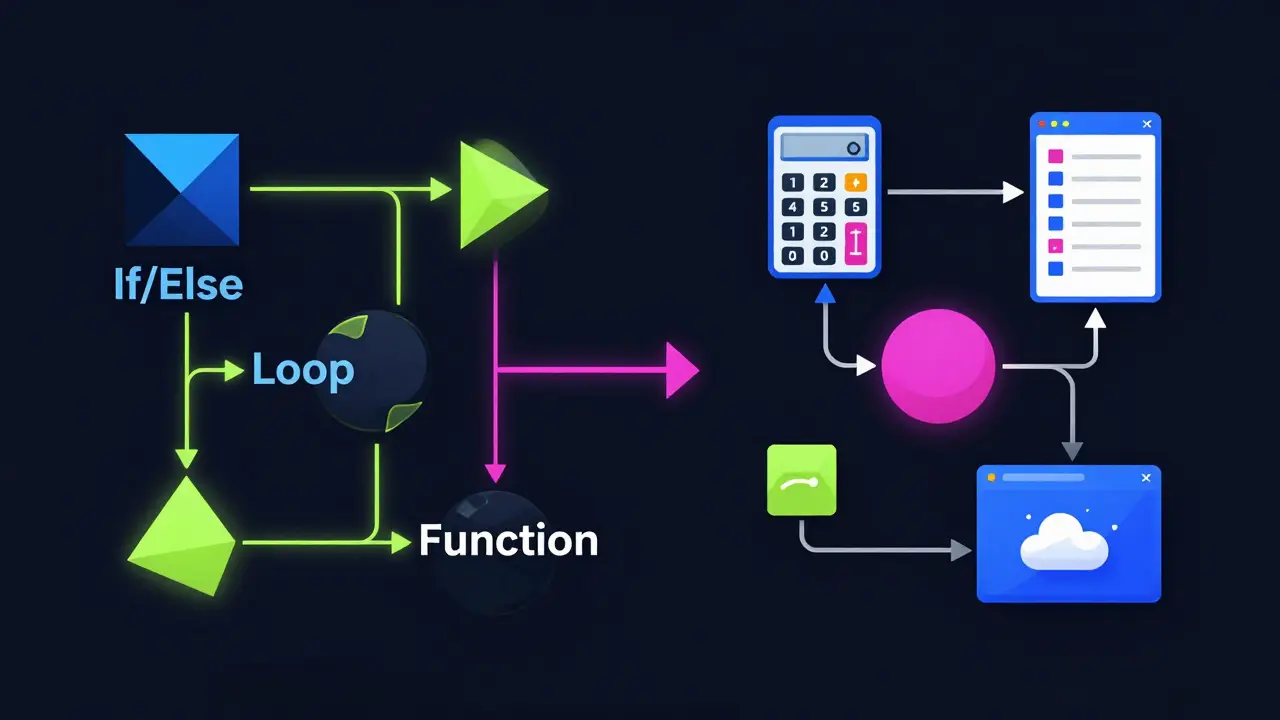
Here are the three pillars of logical flow:
- Conditionals (If/Else): Allows your code to choose different paths based on conditions. Example: "If the user is logged in, show dashboard. Else, show login page."
- Loops (For/While): Repeats actions automatically. Use loops when you need to process a list of items. Example: "For every email in the inbox, mark as read."
- Functions: Groups of code that perform a specific task. Functions prevent repetition. Instead of rewriting the math for calculating tax every time, you write a function called `calculateTax()` and call it whenever needed.
Mastering these three concepts gives you the ability to solve 80% of basic programming problems. The rest is just learning the specific syntax of your chosen language.
Building Projects: Learning by Doing
Tutorials give you knowledge, but projects give you experience. You cannot learn to swim by reading a book about hydrodynamics. You have to jump in the pool. Start small. Here are three project ideas that scale in difficulty.
- Level 1: A Calculator. Build a tool that takes two numbers and an operation (+, -, *, /) and returns the result. This teaches you variable handling and basic arithmetic operations.
- Level 2: A To-Do List. Create a list where users can add, delete, and check off tasks. This introduces data structures (lists or arrays) and state management.
- Level 3: A Weather App. Fetch real-time weather data from a public API (like OpenWeatherMap) and display it. This teaches you how to handle external data, JSON formats, and asynchronous requests.
When you build these, you will encounter bugs. Good. Debugging is not a sign of failure; it is the job. When your code breaks, read the error message carefully. It usually tells you exactly which line went wrong and why. Copy-pasting errors into search engines is a legitimate strategy, not cheating.
Avoiding Common Pitfalls
New programmers often fall into traps that slow down their progress. Avoid these common mistakes to stay on track.
- Tutorial Hell: Watching endless videos without typing code yourself. Passive consumption feels productive but yields zero skill growth. Always pause and type along.
- Perfectionism: Trying to write perfect code on the first try. Write ugly code first. Make it work. Then make it clean. Refactoring is a separate step from creation.
- Ignoring Basics: Jumping into complex frameworks like React or Django before understanding core JavaScript or Python. Frameworks change; fundamentals do not. Master the basics first.
Remember, every expert was once a beginner who didn’t quit. Consistency beats intensity. Coding for 30 minutes every day is far more effective than cramming for 10 hours once a month.
Next Steps: From Beginner to Builder
Once you are comfortable with your first language and have built a few small projects, it’s time to level up. Here is your roadmap for the next six months.
- Learn Version Control: Sign up for GitHub and learn Git. This allows you to save versions of your code, collaborate with others, and showcase your work to employers.
- Explore a Framework: If you learned Python, try Flask or Django. If you learned JavaScript, try React or Vue. Frameworks provide structure and speed up development.
- Contribute to Open Source: Find small projects on GitHub and fix typos or minor bugs. Real-world collaboration teaches you how to read other people’s code-a vital skill.
- Build a Portfolio: Create a simple website showcasing your best three projects. Include links to the code and live demos. This is your new resume.
Digital dominance isn’t about knowing every language. It’s about having the problem-solving mindset to learn any tool you need. You now have the foundation. Go build something broken, fix it, and build again.
How long does it take to learn programming?
It depends on your goals. You can learn the basics of a language like Python in 2-4 weeks with daily practice. Becoming job-ready typically takes 6-12 months of consistent study and project building. Mastery is a lifelong journey.
Do I need math to learn programming?
Basic arithmetic is sufficient for most web development and general scripting. Advanced fields like machine learning or game physics require higher-level math, but you can start coding without it.
Is Python better than JavaScript for beginners?
Python is generally easier to read and write, making it great for logic and data. JavaScript is essential for web interactivity. Choose Python if you like backend/data tasks, and JavaScript if you prefer visual/web design.
Can I learn programming for free?
Yes. There are abundant free resources like freeCodeCamp, The Odin Project, and official documentation for languages like Python and JavaScript. Paid courses offer structure, but quality free content is widely available.
What should I do if I get stuck on a bug?
First, read the error message carefully. Second, try searching the exact error online. Third, take a break. Often, stepping away helps you spot the issue with fresh eyes. Finally, ask for help in communities like Stack Overflow or Reddit.